Today I worked on the key detection system.
I realized that I can actually erode the image to make the black contours of the keys be more visible. Erosion is basically a process that enlarges the darker area and erodes the white areas from the image. The opposite operation of erosion is dilation, which enlarges the white area of the image.
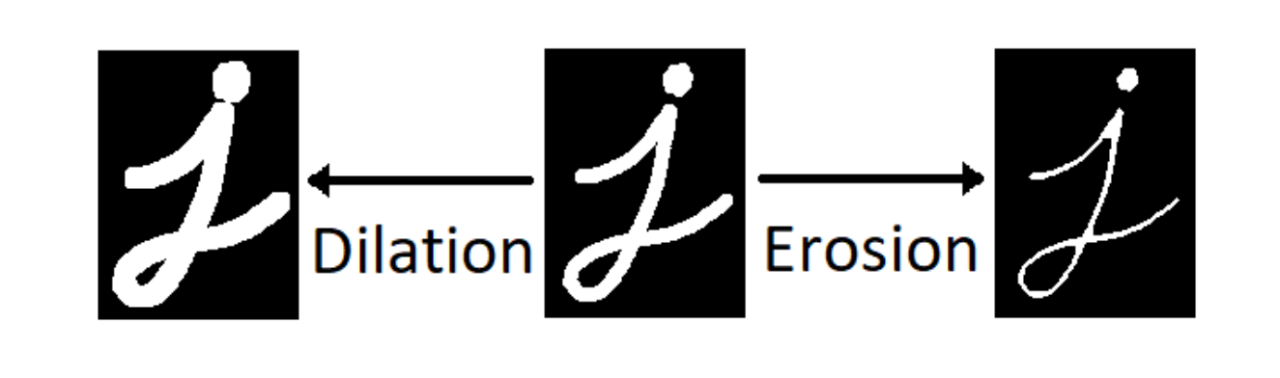
Source : https://www.linkedin.com/pulse/erosion-dilation-good-technique-detecting-elements-your-benzarti
I realized that I can erode the image to get the contour of the keyboard more reliably. You can see that the outlines of the keys are enlarged :
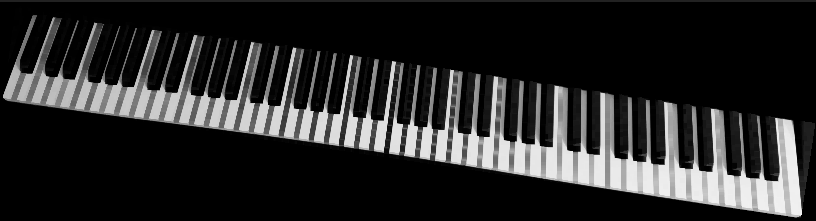
I love erosion!
The problem here is that because of imperfect lighting the outlines' color is not a complete black..
I also learned about the "opening" operation. Opening is just basically eroding and dilating the image so that the white-tone noises are removed. If you think of it, when you erode the image and again dilate it, you effectively are removing the small white noises of the image.
I found a function called findContours() that conveniently find contours of the binarized image. Furthermore, I found yet another thresholding algorithm called adaptive thresholding that is very good at capturing the contour details. I don't know much about thresholding algorithm, but I heard that it automatically detects the threshold value by the illumination of the image, using the image histogram. (I'm not an expert!) I used the adaptive thresholding along with the findContours() function and got this amazing result :

It's not that good.. but it's a progress!
Still, there are some noticable errors and imperfections in detecting the keys, like two keys being merged or lots of junks that are not part of the keys.
I have the great idea of how to remove the noise from the black keys. You see, dilating the image leaves us with only the black keys, removing all the contours of white keys. If we just combine the dilated image that only has black keys and the image that went through the adaptive thresholding algorithm, we can effectively remove the black keys from the adaptive-thresholded image.
    ...
    // dilated
    dilate(only_piano , dilated , Mat() , Point(-1 , -1) , 4);
    morphologyEx(dilated , dilated , MORPH_OPEN , getStructuringElement(MORPH_RECT , Size(3 , 3)));
    threshold(dilated , dilated , 100 , 255 , THRESH_BINARY_INV|THRESH_OTSU);

    // adaptive
    adaptiveThreshold(only_piano , adaptive , 255 , ADAPTIVE_THRESH_GAUSSIAN_C , THRESH_BINARY , 11 , 5);

    // or --> noise removed
    Mat noise_removed = adaptive|dilated;
    erode(noise_removed , noise_removed , Mat() , Point(-1 , -1) , 2);
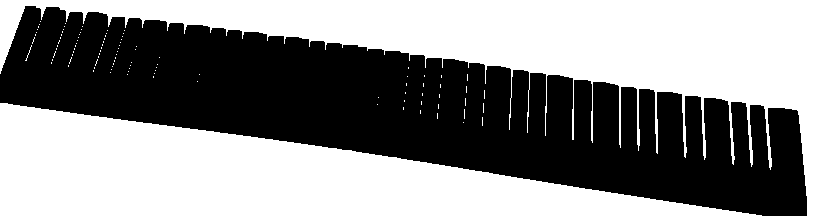
Dilated and thresholded(mask)
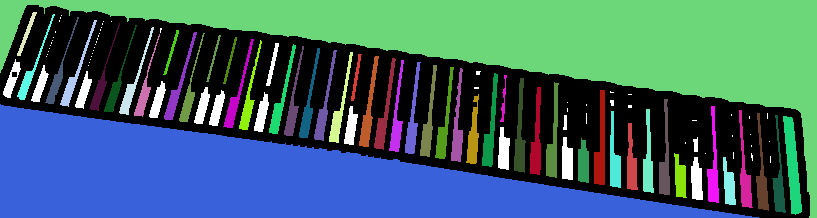
You can see that each keys have their distinct colors, which means that all the keyboards are correctly detected!
Now if we remove some small or large contours, we can get the clean contours of white keys!