Today I finally finalized the system for white keys. From just a crude approximation of keys' contours, I constructed the bounding box for the contours that properly encloses the area of each keys.
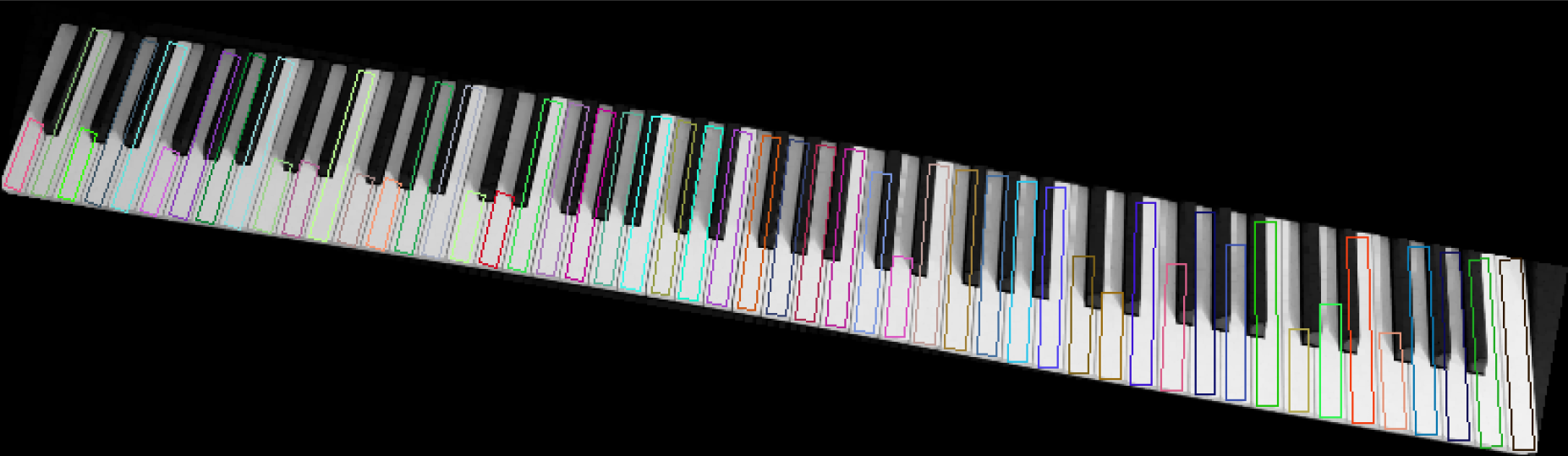
I first used minAreaRect() function to approximate all the contours into rotated rectangles and removed some rectangles that is below certain limit(like below 80% of average width.) The only problem is that some keys do not fully enclose the entire area. This problem can simply be fixed by changing the height of the rotated rectangles that does not meet the certain limit for the height(like 90% of the average height.)
But simply changing the value of the height does not fix this problem. Because the center of mass does not change, the rectangle grows in both sides, not only one side as we want. So, we need to change the center of mass also to grow the rectangle in one direction.
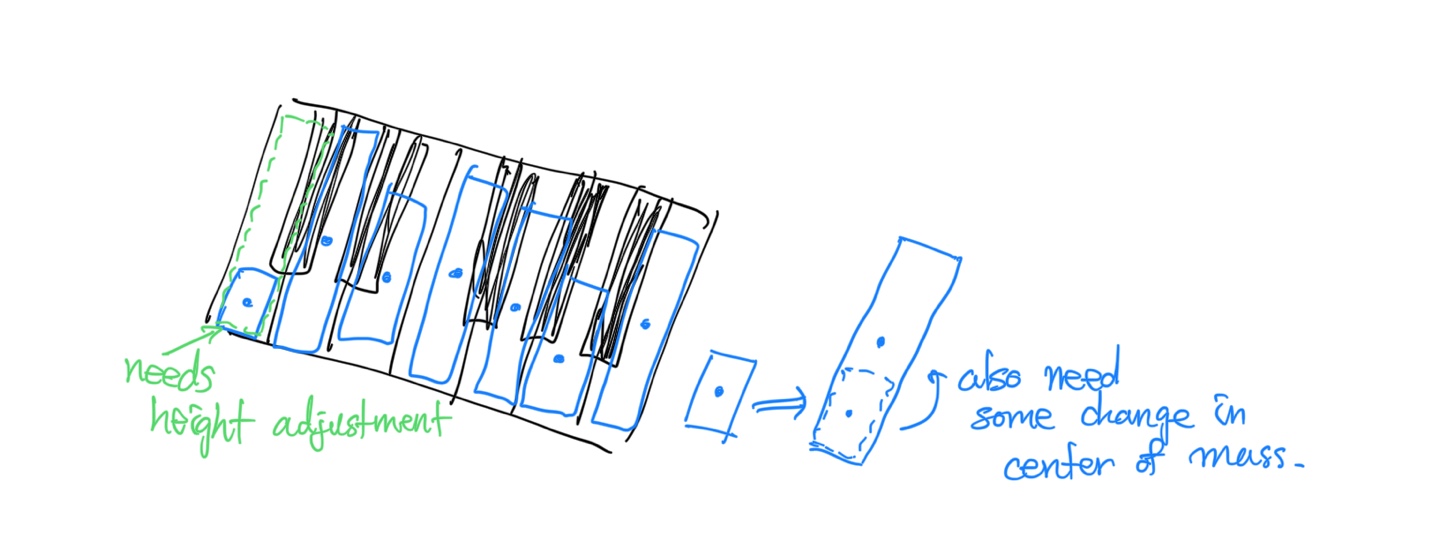
We need some magic of sine and cosine to accomplish this!
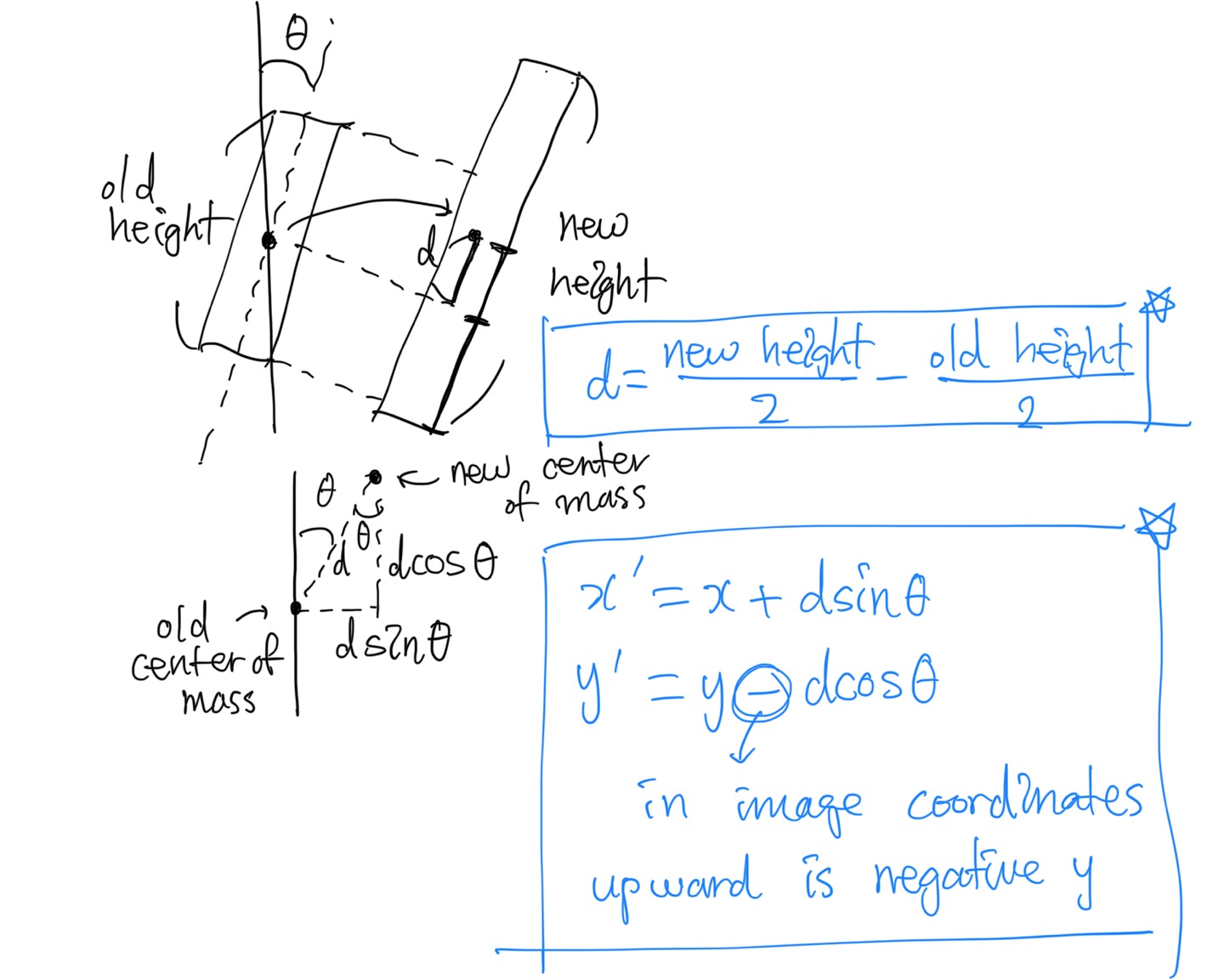
This is what I came up with. To "grow" the rotated rectangle, the bottom side of the rectangle needs to remain in the same position. The original rectangle's center of mass is $\frac{h}{2}$ away from the bottom, and similarly, the new rectangle's center of mass is $\frac{H}{2}$ away from the bottom. So, if we say that new height we want is $H$ and original height is $h$, the center of mass needs to move $\frac{H}{2}-\frac{h}{2}$ up along the inclined rectangle.
Moving the point up by certain distance is done using sine and cosine functions, as shown in the image. (Note that upward in the image is the decrease in y coordinates.)
Now if we translate all these things into codes...
/// @brief Adjust the height of the rotated rectangle
/// @param rect The target rotated rectangle
/// @param new_height new height
/// @param direction true = Up (default), false = Down
static void adjust_rotated_rect_height(RotatedRect &rect , int new_height , bool direction=true) {
    /* transform the location & height */
    // 1. Elongate the rectangle's size
    int d = (new_height-rect.size.height)/2;

    // 2. To match the location of the rectangle prior to the elongation, adjust the
    //    location of the rectangle
    rect.center.x += (direction ? 1.0f : -1.0f)*d*sin(rect.angle*M_PI/180.0f);
    rect.center.y -= (direction ? 1.0f : -1.0f)*d*cos(rect.angle*M_PI/180.0f);

    // 3. Finally change the height of the rectangle
    rect.size.height = new_height;
}
The only thing changed is the direction, which determines what side of the rectangle should be conserved.
Now if we adjust the height of the small ones to the maximum height, we get this beautiful result!
Before
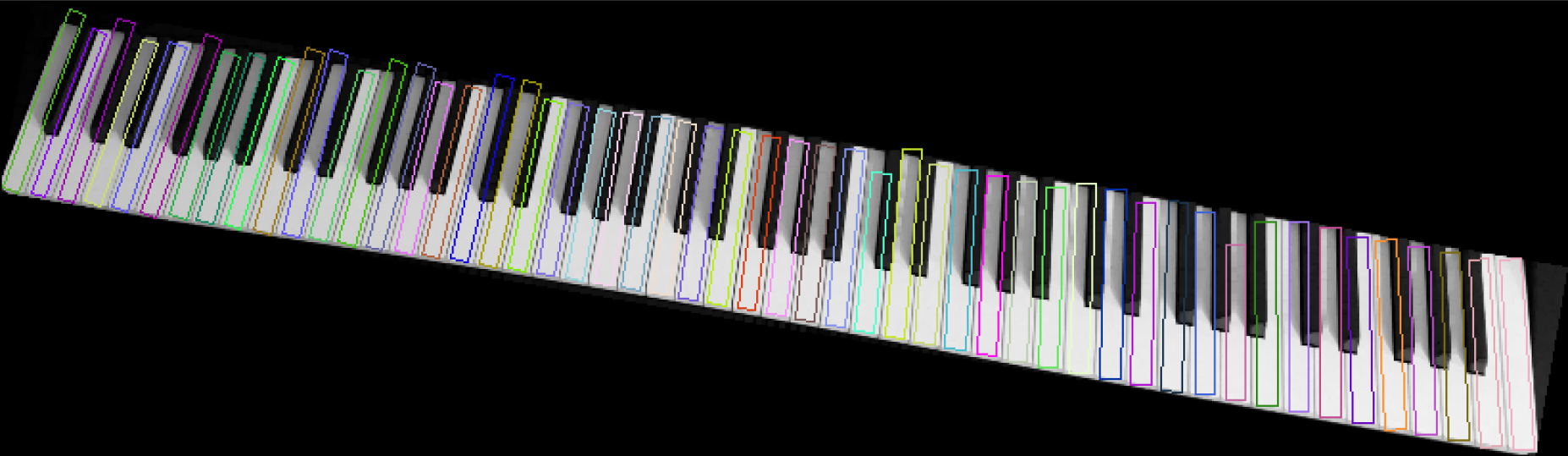
After
Now I will have to detect the black keys, which is not that bad compared to detecting this tedious white keys!