Today I finally added UEFI loader to the project! Thanks to the modification I made previously, I can now easily add new loader to the project.
For the UEFI library, I will be using gnuefi for its adaptability and compactness(unlike EDK2.) For the tutorial, I followed the osdev wiki article that I linked there.
What I had to do is to make the BOOTX64.EFI file through the gnu-efi library and bunch of gcc/ld command lines. After that, I need make a disk image with EFI partition containing the created BOOTX64.EFI file. When we insert the disk into the virtual machine with UEFI firmware image, we could (in theory) run the UEFI bootloader as we want!
For making the UEFI firmware image, I referenced this article. Basically, you first create a blank image file using dd :
dd if=/dev/zero of=$(TARGET) bs=512 count=93750Second, using "parted" command, create primary and secondary GPT header, and a single EFI partition.
parted $(TARGET) -s -a minimal mklabel gpt
parted $(TARGET) -s -a minimal mkpart EFI FAT16 2048s 93716s
parted $(TARGET) -s -a minimal toggle 1 boot
Third, create a temporary image file that will contain the EFI partition data. We use mformat to format the image with FAT16 file system. (This is all basically same as what the article says!)
dd if=/dev/zero of=$(BINARYFOLDER)/part.img bs=512 count=91669
mformat -i $(BINARYFOLDER)/part.img -h 32 -t 32 -n 64 -c 1
We then put all the necessary files to the disk :
mmd -i $(BINARYFOLDER)/part.img ::/EFI
mmd -i $(BINARYFOLDER)/part.img ::/EFI/BOOT
mcopy -i $(BINARYFOLDER)/part.img $(EFI_TARGET) ::/EFI/BOOT
mcopy -i $(BINARYFOLDER)/part.img $(ROOTDIR)/$(KERNEL_IMG_LOCATION)/$(KERNEL_IMG) ::/$(KERNEL_IMG)
In addition to the efi executable, I added the main kernel image. (Note that you need to first create /EFI/BOOT directory and then copy the efi executable to the created directory. If you just put the efi exec. to root directory, it won't boot.)
Finally, we write the image that contains all the files to the main disk image:
dd if=$(BINARYFOLDER)/part.img of=$(TARGET) bs=512 count=91669 seek=2048 conv=notruncWe're all done!
To see if this worked, we compile the entire image with this source code :
#include <efi.h>
#include <efilib.h>

EFI_STATUS EFIAPI efi_main(EFI_HANDLE image_handle , EFI_SYSTEM_TABLE *system_table) {
    InitializeLib(image_handle , system_table);
    Print(L"Hello, world!\n");
    while(1) {
        ;
    }
    return EFI_SUCCESS;
}
Now if we boot the image with QEMU(with OVMF firmware)...
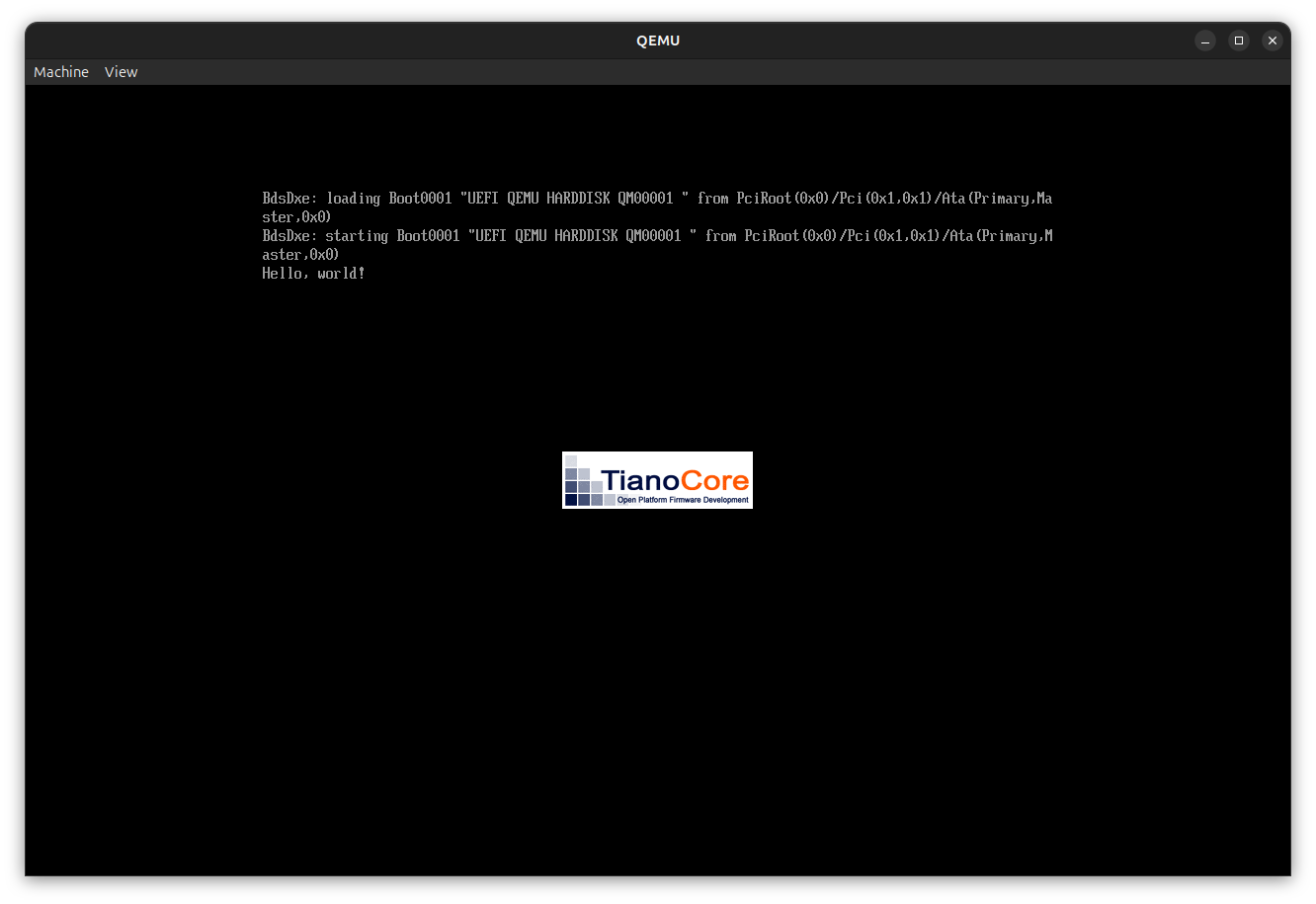
MY FIRST UEFI APPLICATION EVER!!!
The age of UEFI development now begins!